Repeater Destination
This destination is maintained by Segment and is not available to customers on the Free plan.
The Repeater destination forwards events from a source back into another source as though that event occurred in the second source.
The Repeater destination only handles real-time events, as it doesn't cache events. You can send events to multiple sources with one Repeater destination.
If you need to send events to a Source Function, use the Webhooks (Actions) destination instead. The Repeater bypasses a Source Function in Segment's data pipeline and sends data only to the write key. The Webhook (Actions) destination allows data to be sent through the Source Function code as expected.
To add the Repeater to your workspace:
- From the Segment app, navigate to Connections > Destinations and search for Repeater, then click Add destination.
- Search for the source that you want your data to come from and click Next.
- Enter a name for your destination and click Add destination.
- Navigate to the source that you want events to flow to and copy that source's
writeKey. - Open the Repeater destination's settings page and add the
writeKeyyou copied in the previous step to the write keys list for Repeater.
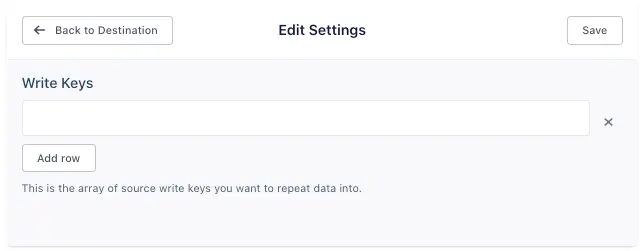
You can repeat this process for up to twenty sources. Write keys must be added to the Write Keys setting as an array.
Repeater sends all events it receives to the sources you specified, identified by the write key(s) you added.
Running a Replay on a Repeater destination might count toward your monthly tracked users (MTUs), especially if you are replaying historical data from the source that flows data into your Repeater destination.
Segment's API plans count the events sent through the pipeline as part of usage tracking. Because the Repeater destination resends an event through the entire pipeline, one event might flow through your source twice which increases the throughput count.
Segment recommends that you notify your team before initiating a Replay if you're using a Repeater destination.
The context.repeatChain array that you see on repeated events holds two values. The first value is the MD5-hashed write key where the event originated. The second value is the MD5-hashed write key that the event was sent to through the Repeater. This behavior lets Segment verify that the event isn't sent to a pipeline that will result in an infinite loop.
You can send computed traits and audiences generated using Engage to this destination as a user property. To learn more about Engage, schedule a demo.
For user-property destinations, an identify call is sent to the destination for each user being added and removed. The property name is the snake_cased version of the audience name, with a true/false value to indicate membership. For example, when a user first completes an order in the last 30 days, Engage sends an Identify call with the property order_completed_last_30days: true. When the user no longer satisfies this condition (for example, it's been more than 30 days since their last order), Engage sets that value to false.
When you first create an audience, Engage sends an Identify call for every user in that audience. Later audience syncs only send updates for users whose membership has changed since the last sync.
Real-time to batch destination sync frequency
Real-time audience syncs to Repeater may take six or more hours for the initial sync to complete. Upon completion, a sync frequency of two to three hours is expected.
Segment lets you change these destination settings from the Segment app without having to touch any code.
Optional
Select where you want Repeater to receive, process, and store data from this destination.
Note: This setting will be deprecated on September 18, 2023. Data can now only be sent to Sources within the same region and Segment will route it automatically. Existing destinations configured to send from a US region workspace to an EU source or vice versa will remain functional. Please contact us if you have any questions.
https://api.segment.ioOptional
This is the array of source write keys you want to repeat data into. You can have up to 20 write keys.